

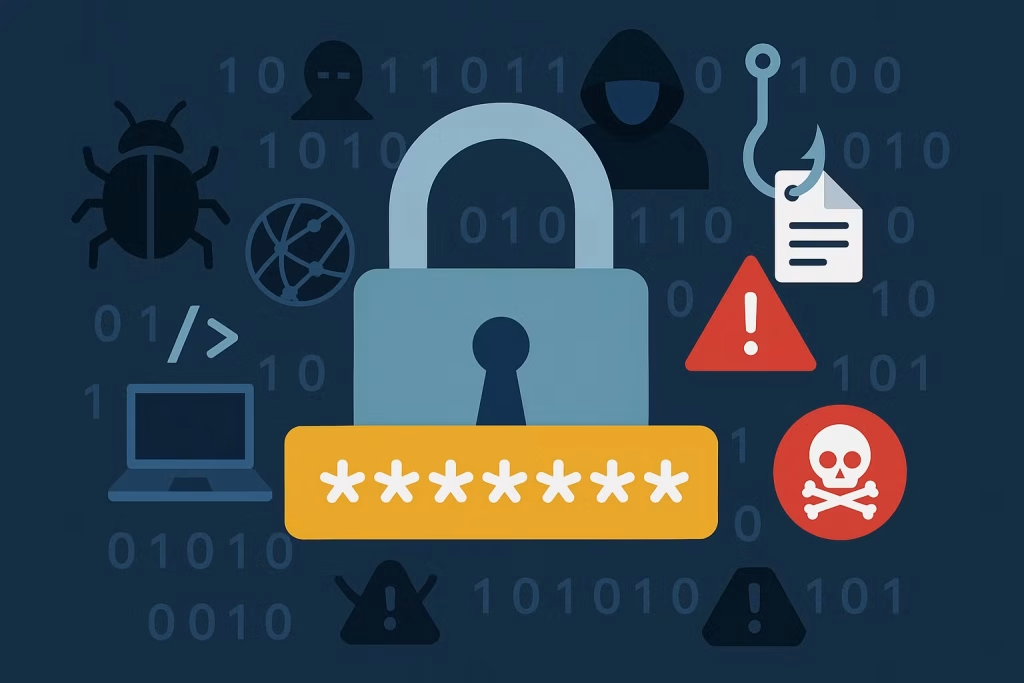
One of the first things we’re taught in the digital age is how to create a strong password. Using a combination of uppercase letters, numbers, and special characters is commonly recommended to protect our accounts. While this is sound advice, it’s crucial to understand that no password is completely secure.
What Defines a Strong Password?
A strong password is one that’s tough for others to guess or crack—even with automated tools. It typically combines uppercase and lowercase letters, numbers, and special characters. The longer the password, the better. While 12 characters are generally considered secure, aiming for at least 16 characters significantly increases protection by making brute-force attacks far more complex.
The easiest and most effective way to manage strong, unique passwords is by using a password manager. These tools generate and store complex passwords, so you don’t have to remember them all. Trusted options include NordPass, Dashlane, Proton Pass, and Bitwarden. With any of these, you’ll only need to remember one strong master password to access your secure vault—making password management both safe and straightforward.
6 Cyber Attacks That Render Even the Strongest Passwords Useless
You might think a complex password like “T8$9gH@!” keeps you safe. But the truth is, no matter how intricate your password is, specific attacks bypass it entirely—without needing to crack it at all. Here are six common threats that can outmaneuver even the most secure credentials:
Phishing Scams
Phishing doesn’t care how strong your password is—it tricks you into giving it away. Attackers create convincing fake websites or emails that mimic trusted brands or platforms. Enter your password into one of these bogus pages, and it’s game over—the attacker has it instantly, no cracking required.
Keyloggers
Keyloggers are silent spies that record everything you type. Whether installed through malware or hidden hardware, these tools can capture your password as you enter it—bypassing any complexity or encryption. While there are methods to detect keyloggers, stealthy variants are built to stay hidden, often making detection a challenge.
Credential Stuffing
Even strong passwords are vulnerable if you reuse them. Credential stuffing involves using previously leaked login credentials from data breaches to access accounts on other platforms. If your go-to password appears in a leak, attackers can automate login attempts across dozens of sites—turning one compromised account into many.
Social Engineering
Instead of breaking through systems, social engineers manipulate people. They might pose as tech support or a trusted authority figure, coaxing you into revealing your login credentials. Because these attacks rely on deception rather than technical flaws, password complexity offers no protection. The best defense? Stay alert and verify before you trust.
Malware & Infostealers
Modern malware does more than just annoy—it steals. Infostealer viruses are designed to capture stored passwords, intercept browser inputs, and even extract encrypted credentials. Today’s malware operates quietly, collecting your information in the background to sell on the dark web or use in follow-up attacks like phishing, scams, or even ransomware.
Shoulder Surfing & Hidden Cameras
Sometimes, the most straightforward methods are the most effective. If someone watches you type your password—or records it via a hidden camera—its complexity becomes irrelevant. These attacks are widespread at public terminals, ATMs, or crowded workplaces. Always be mindful of your surroundings when entering sensitive information.
Going Beyond Strong Passwords – How to Truly Protect Yourself Online
Strong passwords are a crucial starting point—but they’re just the first line of defense. To stay genuinely secure in today’s digital world, you need a layered approach. Here’s how to elevate your online protection:
- Enable Multi-Factor Authentication (MFA): MFA strengthens your login process by requiring an additional step, such as a code from your phone, an email confirmation, or an authenticator app, making it harder for intruders to gain access.
- Use a Password Manager: These tools securely store and auto-fill your passwords, helping you avoid common pitfalls like reusing passwords or falling for phishing attempts.
- Be Alert to Phishing Attempts: Be cautious with unsolicited emails or messages. When unsure, don’t click; type web addresses directly into your browser to verify authenticity.
- Keep Software Up to Date: Regular updates patch security holes that hackers exploit. Enable automatic updates whenever possible to stay protected effortlessly.
- Secure Your Internet Connection: On public Wi-Fi, use a VPN to encrypt your data. Always check for “HTTPS” when browsing or making transactions online.
- Avoid Reusing Passwords: Each account should have its unique password. That way, if one gets compromised, your other accounts remain safe.
Having a strong password is essential, but it’s not a silver bullet. Cyber threats evolve constantly, and so should your defenses. Combine strong credentials with smart security habits to build a robust shield against digital threats.
FAQ’s
If I use a strong password, why do I still need additional security?
Even the strongest password can be bypassed through tactics like phishing, keylogging, or social engineering. These attacks don’t require cracking your password—they trick or spy their way past it. That’s why layered security (like MFA and password managers) is essential.
What is the safest way to manage multiple strong passwords?
Using a password manager is the most efficient and secure method. It generates, stores, and auto-fills complex passwords, so you only need to remember one master password.
What’s the most significant risk of reusing passwords across sites?
Credential stuffing exploits reused passwords from past data breaches. If one of your accounts is compromised, attackers can use the same credentials to access others, leading to a domino effect of account takeovers.
How can I protect myself from phishing and social engineering?
Always verify suspicious emails or calls. Avoid clicking on unknown links, and never share passwords over the phone or email. Type URLs manually and be wary of urgent-sounding requests for credentials or personal info.
Does enabling Multi-Factor Authentication (MFA) really make a difference?
Yes. MFA adds a crucial layer of protection. Even if a hacker gets your password, they still can’t access your account without the second verification step—making unauthorized access significantly harder.
Conclusion
While strong passwords are vital, they’re only one piece of the cybersecurity puzzle. Modern threats are sophisticated and often sidestep password strength altogether. By understanding standard attack methods and adopting proactive habits—like using password managers, enabling MFA, and staying alert to phishing—you create a far more resilient defense. Cybersecurity is not about a single solution but a combination of innovative tools and vigilance. The stronger and more layered your defenses, the safer your digital life becomes.